
In this section, you will learn how to prepare network configurations for the Nexus fabric using the NaC approach.
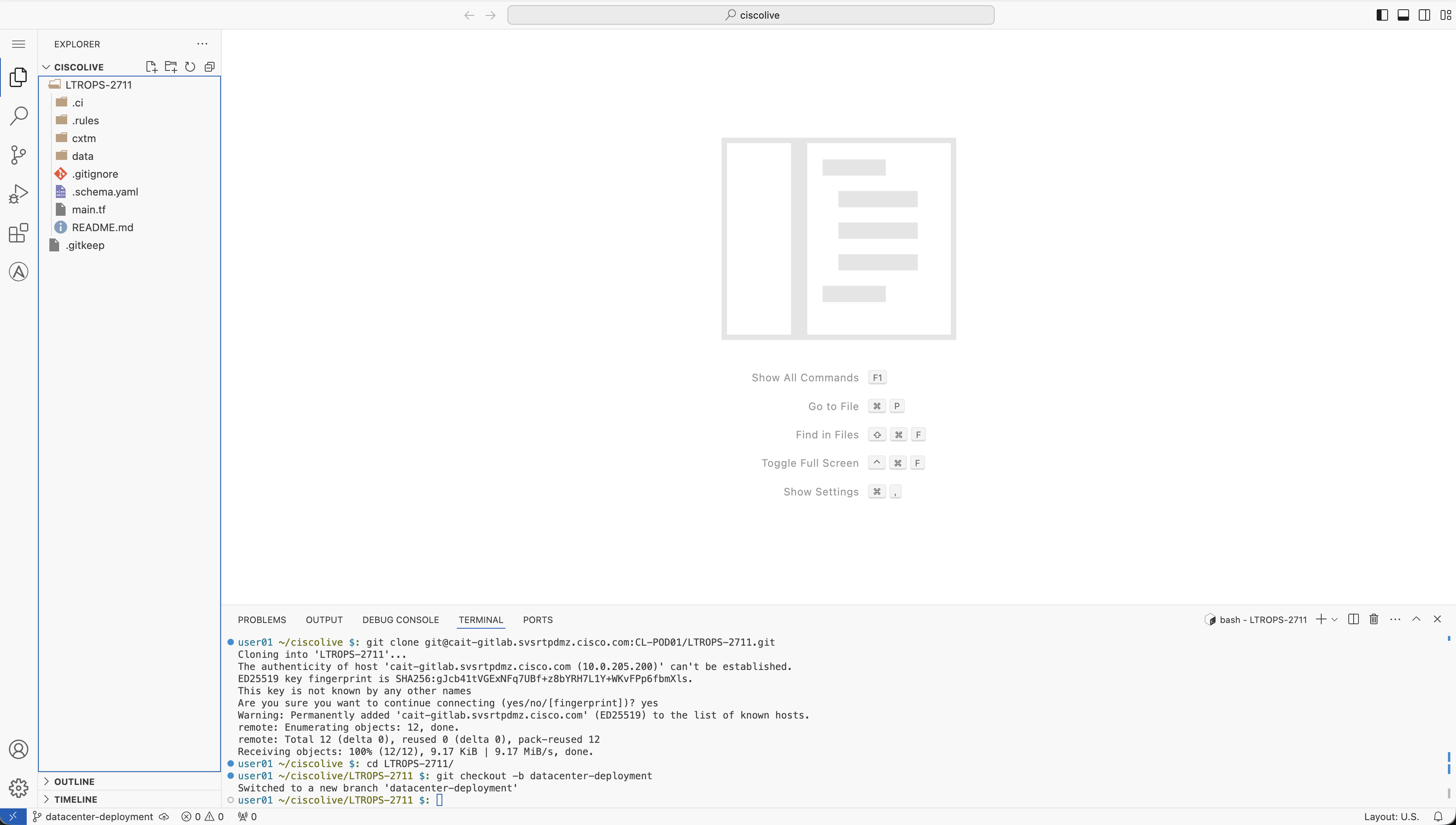
To begin, return to your VS Code Terminal. You will create a new branch in Git to work from. Branching in Git is a strategy to work on your codebase without making changes in the main branch. Doing so de-risks errors and issues you could introduce into the main branch inadvertently. Given this, the main branch should never be used for development and execution against your test network. The main branch is a safe branch. If the lab allowed more time, there are additional concepts such as branch protection rules that you can explore to further protect your main branch from any use except for production use.
To create a new branch, you can use git checkout -b where the option -b is for the new branch name.
git checkout -b fabric-deployment
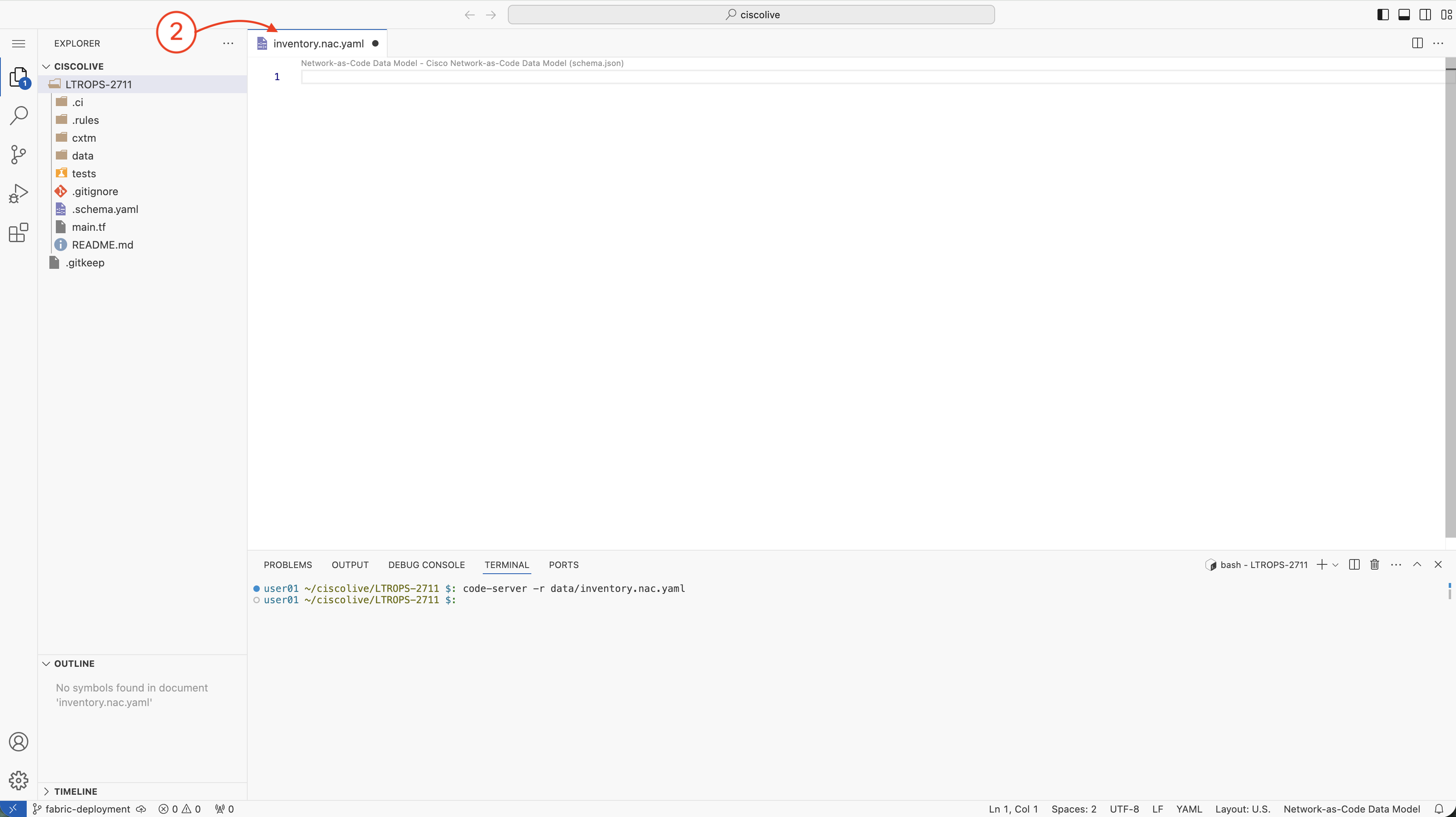
You will create the inventory.nac.yaml file in the data directory. This file defines the connection URL details of all the network devices in the topology, including Spine S1, S2 and Leaf L1, L2, switches using their management IPs.
code-server -r data/inventory.nac.yaml
This command will open a new file named inventory.nac.yaml in VS Code Server.
---
nxos:
  devices:
    - name: S1
      url: https://10.15.107.21
    - name: S2
      url: https://10.15.107.22
    - name: L1
      url: https://10.15.107.23
    - name: L2
      url: https://10.15.107.24
Be sure to save your file! Not saving will result in your code not executing.
Create the configuration file S1.nac.yaml for Spine-1 switch (S1) in the data directory. This YAML file defines the complete configuration for the Spine-1 switch including system settings, interfaces, and BGP routing.
code-server -r data/S1.nac.yaml
This command will open a new file named S1.nac.yaml in VS Code Server.
---
nxos:
  devices:
    - name: S1
      url: https://10.15.107.21
      configuration:
        system:
          hostname: S1
        feature:
          bgp: true
          lldp: true
          udld: true
        ip_prefix_lists:
          - name: REDISTRIBUTE_PREFIXES
            entries:
              - seq: 10
                action: permit
                prefix: 10.0.0.1/32
                criteria: exact
        route_maps:
          - name: fabric-rmap-redist-subnet
            entries:
              - order: 10
                action: permit
                match_ip_prefix_list: REDISTRIBUTE_PREFIXES
        interfaces:
          loopbacks:
            - id: 0
              ip:
                address: 10.0.0.1/32
          ethernets:
            - id: "1/1"
              description: "connected to L1 Ethernet1/29"
              switchport:
                enabled: false
              ip:
                address: 10.1.11.1/30
            - id: "1/11"
              description: "connected to L1 Ethernet1/30"
              switchport:
                enabled: false
              ip:
                address: 10.1.11.5/30
            - id: "1/2"
              description: "connected to L2 Ethernet1/29"
              switchport:
                enabled: false
              ip:
                address: 10.1.12.1/30
            - id: "1/12"
              description: "connected to L2 Ethernet1/30"
              switchport:
                enabled: false
              ip:
                address: 10.1.12.5/30
        routing:
          bgp:
            asn: "65535"
            vrfs:
              - vrf: default
                router_id: 10.0.0.1
                address_families:
                  - address_family: ipv4-unicast
                    maximum_paths: 4
                    redistributions:
                      - protocol: direct
                        protocol_instance: "none"
                        route_map: fabric-rmap-redist-subnet
                neighbors:
                  - ip: 10.1.11.2
                    remote_as: "65011"
                    description: "L1-Eth1/29"
                    update_source_interface_type: ethernet
                    update_source_interface_id: "1/1"
                    address_families:
                      - address_family: ipv4-unicast
                  - ip: 10.1.11.6
                    remote_as: "65011"
                    description: "L1-Eth1/30"
                    update_source_interface_type: ethernet
                    update_source_interface_id: "1/11"
                    address_families:
                      - address_family: ipv4-unicast
                  - ip: 10.1.12.2
                    remote_as: "65012"
                    description: "L2-Eth1/29"
                    update_source_interface_type: ethernet
                    update_source_interface_id: "1/2"
                    address_families:
                      - address_family: ipv4-unicast
                  - ip: 10.1.12.6
                    remote_as: "65012"
                    description: "L2-Eth1/30"
                    update_source_interface_type: ethernet
                    update_source_interface_id: "1/12"
                    address_families:
                      - address_family: ipv4-unicast
Be sure to save your file! Not saving will result in your code not executing.
Create the configuration file S2.nac.yaml for Spine-2 switch (S2) in the data directory. This YAML file defines the complete configuration for the Spine-2 switch including system settings, interfaces, and BGP routing.
code-server -r data/S2.nac.yaml
This command will open a new file named S2.nac.yaml in VS Code Server.
---
nxos:
  devices:
    - name: S2
      url: https://10.15.107.22
      configuration:
        system:
          hostname: S2
        feature:
          bgp: true
          lldp: true
          udld: true
        ip_prefix_lists:
          - name: REDISTRIBUTE_PREFIXES
            entries:
              - seq: 10
                action: permit
                prefix: 10.0.0.2/32
                criteria: exact
        route_maps:
          - name: fabric-rmap-redist-subnet
            entries:
              - order: 10
                action: permit
                match_ip_prefix_list: REDISTRIBUTE_PREFIXES
        interfaces:
          loopbacks:
            - id: 0
              ip:
                address: 10.0.0.2/32
          ethernets:
            - id: "1/1"
              description: "connected to L1 Ethernet1/31"
              switchport:
                enabled: false
              ip:
                address: 10.1.21.1/30
            - id: "1/11"
              description: "connected to L1 Ethernet1/32"
              switchport:
                enabled: false
              ip:
                address: 10.1.21.5/30
            - id: "1/2"
              description: "connected to L2 Ethernet1/31"
              switchport:
                enabled: false
              ip:
                address: 10.1.22.1/30
            - id: "1/12"
              description: "connected to L2 Ethernet1/32"
              switchport:
                enabled: false
              ip:
                address: 10.1.22.5/30
        routing:
          bgp:
            asn: "65535"
            vrfs:
              - vrf: default
                router_id: 10.0.0.2
                address_families:
                  - address_family: ipv4-unicast
                    maximum_paths: 4
                    redistributions:
                      - protocol: direct
                        protocol_instance: "none"
                        route_map: fabric-rmap-redist-subnet
                neighbors:
                  - ip: 10.1.21.2
                    remote_as: "65011"
                    description: "L1-Eth1/31"
                    update_source_interface_type: ethernet
                    update_source_interface_id: "1/1"
                    address_families:
                      - address_family: ipv4-unicast
                  - ip: 10.1.21.6
                    remote_as: "65011"
                    description: "L1-Eth1/32"
                    update_source_interface_type: ethernet
                    update_source_interface_id: "1/11"
                    address_families:
                      - address_family: ipv4-unicast
                  - ip: 10.1.22.2
                    remote_as: "65012"
                    description: "L2-Eth1/31"
                    update_source_interface_type: ethernet
                    update_source_interface_id: "1/2"
                    address_families:
                      - address_family: ipv4-unicast
                  - ip: 10.1.22.6
                    remote_as: "65012"
                    description: "L2-Eth1/32"
                    update_source_interface_type: ethernet
                    update_source_interface_id: "1/12"
                    address_families:
                      - address_family: ipv4-unicast
Be sure to save your file! Not saving will result in your code not executing.
Create the configuration file L1.nac.yaml for Leaf-1 switch (L1) in the data directory. This YAML file defines the complete configuration for the Leaf-1 switch including system settings, VLANs, interfaces, and BGP routing.
code-server -r data/L1.nac.yaml
This command will open a new file named L1.nac.yaml in VS Code Server.
---
nxos:
  devices:
    - name: L1
      url: https://10.15.107.23
      configuration:
        system:
          hostname: L1
        feature:
          bgp: true
          interface_vlan: true
          lldp: true
          udld: true
        vlan:
          vlans:
            - id: 101
              name: VLAN101
        ip_prefix_lists:
          - name: REDISTRIBUTE_PREFIXES
            entries:
              - seq: 10
                action: permit
                prefix: 10.0.1.1/32
                criteria: exact
              - seq: 20
                action: permit
                prefix: 10.254.101.0/24
                criteria: exact
        route_maps:
          - name: fabric-rmap-redist-subnet
            entries:
              - order: 10
                action: permit
                match_ip_prefix_list: REDISTRIBUTE_PREFIXES
        interfaces:
          loopbacks:
            - id: 0
              ip:
                address: 10.0.1.1/32
          vlans:
            - id: 101
              description: "SVI for VLAN 101"
              ip:
                address: 10.254.101.1/24
          ethernets:
            - id: "1/1"
              description: "host1-ens2"
              switchport:
                mode: access
                access_vlan: 101
            - id: "1/2"
              description: "host2-ens2"
              switchport:
                mode: access
                access_vlan: 101
            - id: "1/29"
              description: "connected to S1 Ethernet1/1"
              switchport:
                enabled: false
              ip:
                address: 10.1.11.2/30
            - id: "1/30"
              description: "connected to S1 Ethernet1/11"
              switchport:
                enabled: false
              ip:
                address: 10.1.11.6/30
            - id: "1/31"
              description: "connected to S2 Ethernet1/1"
              switchport:
                enabled: false
              ip:
                address: 10.1.21.2/30
            - id: "1/32"
              description: "connected to S2 Ethernet1/11"
              switchport:
                enabled: false
              ip:
                address: 10.1.21.6/30
        routing:
          bgp:
            asn: "65011"
            vrfs:
              - vrf: default
                router_id: 10.0.1.1
                address_families:
                  - address_family: ipv4-unicast
                    maximum_paths: 4
                    redistributions:
                      - protocol: direct
                        protocol_instance: "none"
                        route_map: fabric-rmap-redist-subnet
                neighbors:
                  - ip: 10.1.11.1
                    remote_as: "65535"
                    description: "S1-Eth1/1"
                    update_source_interface_type: ethernet
                    update_source_interface_id: "1/29"
                    address_families:
                      - address_family: ipv4-unicast
                  - ip: 10.1.11.5
                    remote_as: "65535"
                    description: "S1-Eth1/11"
                    update_source_interface_type: ethernet
                    update_source_interface_id: "1/30"
                    address_families:
                      - address_family: ipv4-unicast
                  - ip: 10.1.21.1
                    remote_as: "65535"
                    description: "S2-Eth1/1"
                    update_source_interface_type: ethernet
                    update_source_interface_id: "1/31"
                    address_families:
                      - address_family: ipv4-unicast
                  - ip: 10.1.21.5
                    remote_as: "65535"
                    description: "S2-Eth1/11"
                    update_source_interface_type: ethernet
                    update_source_interface_id: "1/32"
                    address_families:
                      - address_family: ipv4-unicast
Be sure to save your file! Not saving will result in your code not executing.
Create the configuration file L2.nac.yaml for Leaf-2 switch (L2) in the data directory. This YAML file defines the complete configuration for the Leaf-2 switch including system settings, VLANs, interfaces, and BGP routing.
code-server -r data/L2.nac.yaml
This command will open a new file named L2.nac.yaml in VS Code Server.
---
nxos:
  devices:
    - name: L2
      url: https://10.15.107.24
      configuration:
        system:
          hostname: L2
        feature:
          bgp: true
          interface_vlan: true
          lldp: true
          udld: true
        vlan:
          vlans:
            - id: 102
              name: VLAN102
        ip_prefix_lists:
          - name: REDISTRIBUTE_PREFIXES
            entries:
              - seq: 10
                action: permit
                prefix: 10.0.2.2/32
                criteria: exact
              - seq: 20
                action: permit
                prefix: 10.254.102.0/24
                criteria: exact
        route_maps:
          - name: fabric-rmap-redist-subnet
            entries:
              - order: 10
                action: permit
                match_ip_prefix_list: REDISTRIBUTE_PREFIXES
        interfaces:
          loopbacks:
            - id: 0
              ip:
                address: 10.0.2.2/32
          vlans:
            - id: 102
              description: "SVI for VLAN 102"
              ip:
                address: 10.254.102.1/24
          ethernets:
            - id: "1/1"
              description: "host1-ens3"
              switchport:
                mode: access
                access_vlan: 102
            - id: "1/2"
              description: "host2-ens3"
              switchport:
                mode: access
                access_vlan: 102
            - id: "1/29"
              description: "connected to S1 Ethernet1/2"
              switchport:
                enabled: false
              ip:
                address: 10.1.12.2/30
            - id: "1/30"
              description: "connected to S1 Ethernet1/12"
              switchport:
                enabled: false
              ip:
                address: 10.1.12.6/30
            - id: "1/31"
              description: "connected to S2 Ethernet1/2"
              switchport:
                enabled: false
              ip:
                address: 10.1.22.2/30
            - id: "1/32"
              description: "connected to S2 Ethernet1/12"
              switchport:
                enabled: false
              ip:
                address: 10.1.22.6/30
        routing:
          bgp:
            asn: "65012"
            vrfs:
              - vrf: default
                router_id: 10.0.2.2
                address_families:
                  - address_family: ipv4-unicast
                    maximum_paths: 4
                    redistributions:
                      - protocol: direct
                        protocol_instance: "none"
                        route_map: fabric-rmap-redist-subnet
                neighbors:
                  - ip: 10.1.12.1
                    remote_as: "65535"
                    description: "S1-Eth1/2"
                    update_source_interface_type: ethernet
                    update_source_interface_id: "1/29"
                    address_families:
                      - address_family: ipv4-unicast
                  - ip: 10.1.12.5
                    remote_as: "65535"
                    description: "S1-Eth1/12"
                    update_source_interface_type: ethernet
                    update_source_interface_id: "1/30"
                    address_families:
                      - address_family: ipv4-unicast
                  - ip: 10.1.22.1
                    remote_as: "65535"
                    description: "S2-Eth1/2"
                    update_source_interface_type: ethernet
                    update_source_interface_id: "1/31"
                    address_families:
                      - address_family: ipv4-unicast
                  - ip: 10.1.22.5
                    remote_as: "65535"
                    description: "S2-Eth1/12"
                    update_source_interface_type: ethernet
                    update_source_interface_id: "1/32"
                    address_families:
                      - address_family: ipv4-unicast
Be sure to save your file! Not saving will result in your code not executing.
After creating all the configuration files, your VS Code landing page should look similar to the screenshot below, showing the new branch and all the YAML configuration files you created in the data directory.
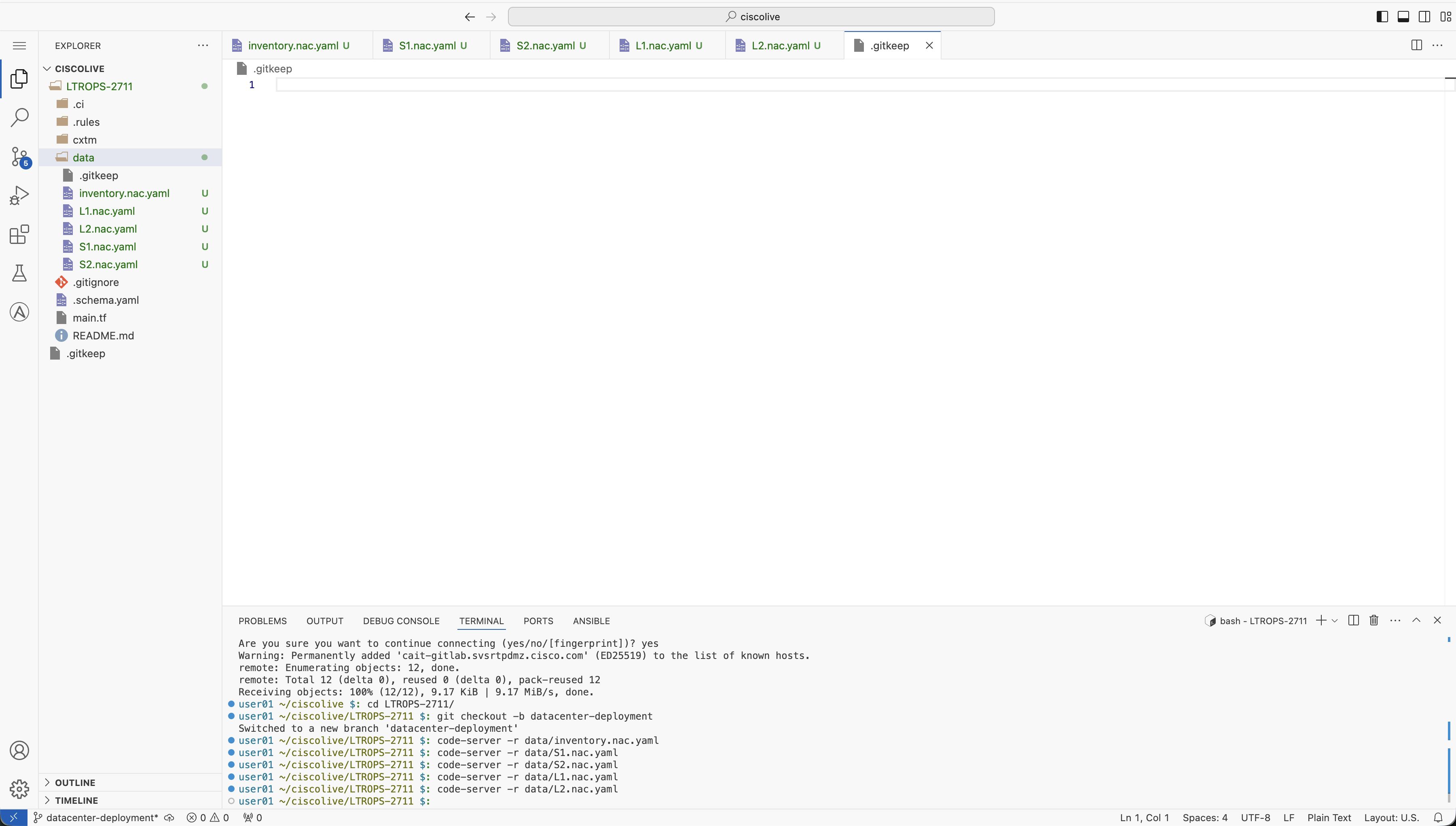
You may notice warnings or YAML linting errors displayed after creating the data model files. This is expected behavior in the current terraform provider release used for this lab. This lab is based on a Limited Availability (LA) release, and the General Availability (GA) release will have these warnings rectified.
Continue to the next section to create the .gitlab-ci.yml file and run these Nexus deployment configurations in a pipeline.