
In software development, DevOps is the practice of bringing development (Dev) and operations (Ops) together, with the goal of developing and deploying better software. NetDevOps applies those practices to networking. Practices such as using version control, Continuous Integration (CI), Continuous Delivery (CD), and continuous automated testing are used to more accurately and efficiently deploy changes to network infrastructure.
NetDevOps is commonly broken down into stages that could include pushing a proposed network configuration change to a version control repository, programmatically applying the configuration change to a staging environment, and testing the proposed change before deploying to production. There are many tools to choose from for each stage of the NetDevOps process. CX Test Automation Manager (CXTM), as the name implies, was purpose-built for managing network testing, and is well-positioned for the testing stage of NetDevOps pipelines with its extensive northbound APIs.
NaC is a methodology that applies Infrastructure as Code principles to network management and operations. Available at netascode.cisco.com, this platform provides validated architectures, automation tooling, and comprehensive guides that enable network engineers to manage infrastructure using declarative configuration files. By leveraging open-source tools like Terraform, Ansible, and Robot Framework, NaC enables version-controlled, automated, and testable network deployments that can scale efficiently while maintaining operational consistency across environments.
At the core of NaC are standardized data models that define network configurations in a structured, intuitive format. These YAML-based data models serve as the single source of truth for network infrastructure, abstracting complex device-specific CLI commands into human-readable configuration definitions. NaC utilizes these data models with Terraform providers and Ansible modules to programmatically translate declarative intent into actual device configurations, enabling consistent deployments across diverse network platforms while maintaining full traceability and the ability to validate configurations before they reach production environments.
Through the course of this lab, participants will use CXTM to define and import test cases into a CXTM project, construct device inventory topology files, automate test cases using Robot Framework, and execute test cases against a virtualized staging environment using Cisco Modeling Labs (CML). Finally, participants will integrate CXTM into a CI/CD pipeline that executes automated tests against the staging environment to verify that the environment is in the intended operational state after programmatically applying a proposed configuration change.
In this lab scenario, participants will build a CI/CD pipeline to deploy and expand a Cisco Nexus spine-leaf data center fabric. The initial topology consists of two spine switches (S1, S2) and two leaf switches (L1, L2) forming the foundation of a modern data center architecture. Participants will use the pipeline to expand the fabric by integrating two additional leaf switches (L3, L4) into the existing infrastructure. Using NaC principles, the pipeline will apply the necessary configurations to seamlessly join the new leaf switches to the fabric, and execute automated tests to verify that BGP neighbor relationships have been established and the fabric has converged to the intended operational state. The following network topology diagram represents the before and after state of the pipeline.
Note: The test cases executed in this pipeline are intentionally and relatively simple to illustrate concepts. In an actual network deployment scenario, the tests could be extended to include a more comprehensive coverage of requirements, including data plane validation, performance, scale, negative scenarios, and more.
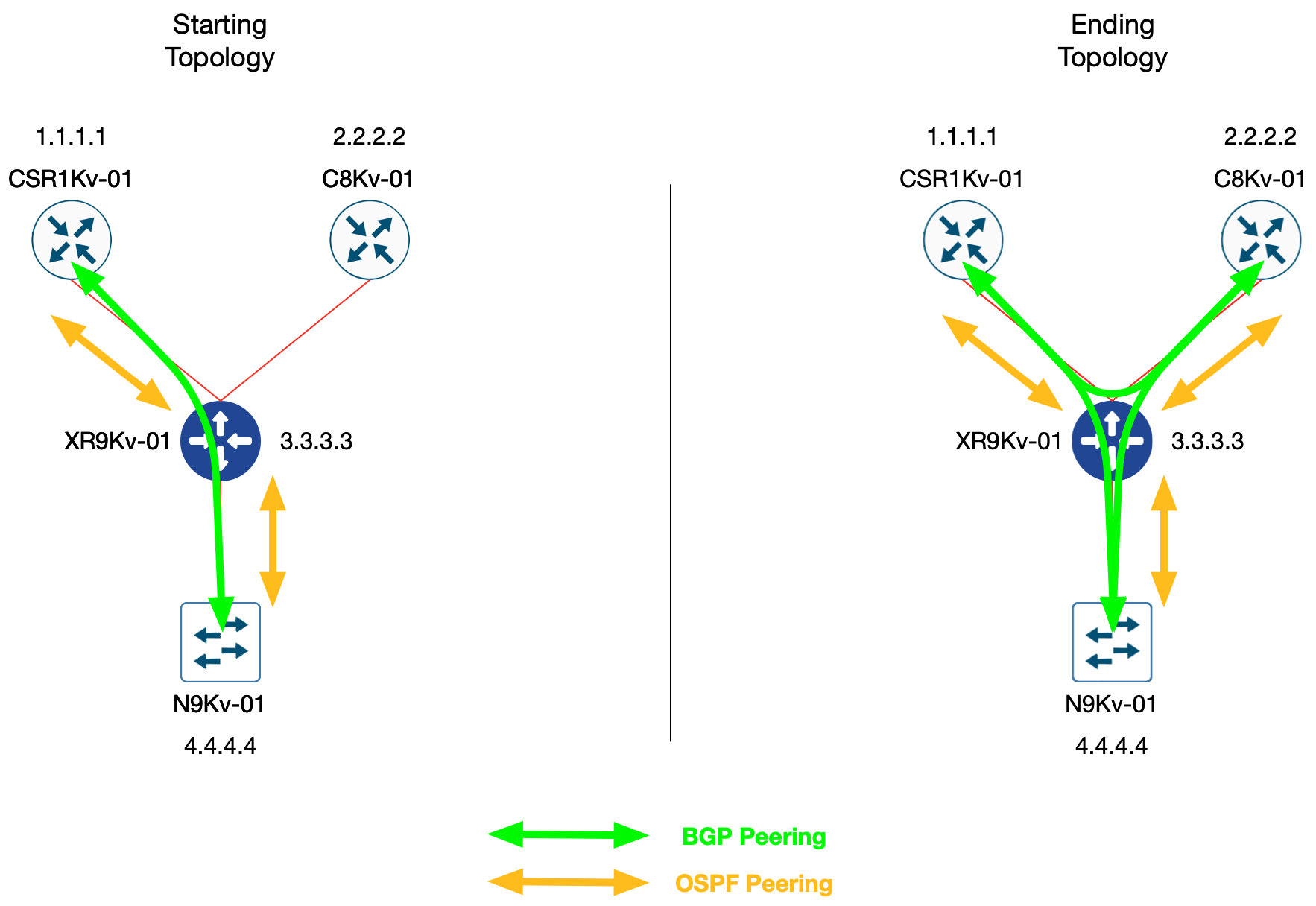
The lab from a high level has the following sections:
Please continue to the next section for a more detailed introduction to NaC.